
Customers and their families
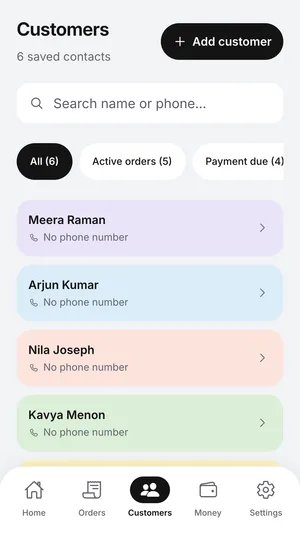
Save a phone number, WhatsApp number and address once. Add family members under the same customer, so a mother’s blouse and her daughter’s kurta sit side by side.
Shop diary app for tailors & boutiques
SewMate keeps your customers, their measurements, orders, delivery dates and payments in one diary on your phone. No internet needed at the counter.
Made for the work on your cutting table
Features
A customer walks in, gets measured, pays an advance and comes back on the promised day. SewMate follows that same order of work.
Save a phone number, WhatsApp number and address once. Add family members under the same customer, so a mother’s blouse and her daughter’s kurta sit side by side.
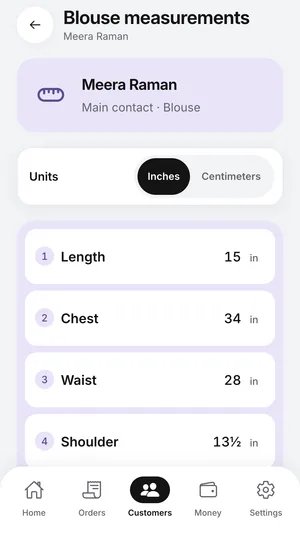
Ready templates for blouse, shirt, kurta and trouser, with the fields you already write down. Add a fitting note like “boat neck, comfortable fit”.
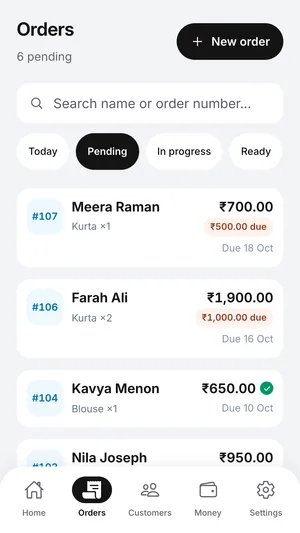
Each order gets a number, its garments, a due date and a status. Filter the list to find what needs doing next.
See how many garments are due each day. Busy days and overdue orders stand out in colour.
Record each advance as it comes in. SewMate works out what the customer still owes before you hand over the bag.
Rate card
Set your usual price for each garment once.
Order photos
Keep a picture of the design or the fabric with the order.
Payment history
Search, filter and export every payment.
Diary backup
Save the whole diary to a file and restore it later.
Inside the app
These are real SewMate screens, filled with a sample shop.
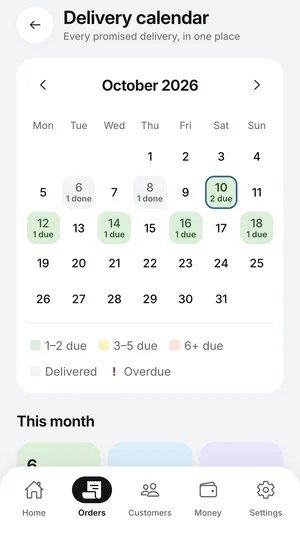
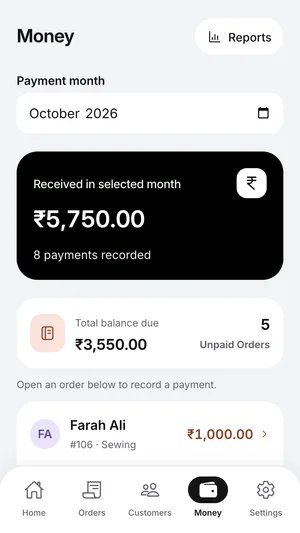
Your shop at a glance
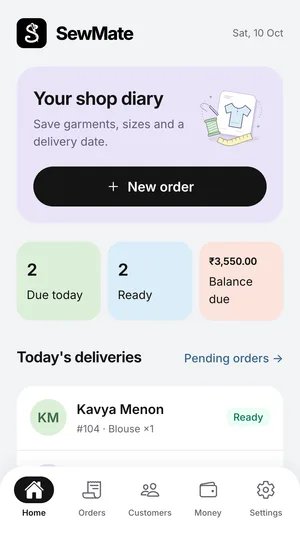
Open the app and see what’s due today, what’s ready for pickup and how much is still to be collected.
How it works
If you can fill in an order book, you already know how to use SewMate.
Type a name and phone number. If you stitch for the whole household, add the family under the same card.
Pick the garment, fill in the sizes, set the delivery date and note the advance. That’s the whole order slip.
Mark it ready when it’s pressed. On pickup, SewMate shows the balance so nobody has to do sums at the counter.
Offline first
SewMate doesn’t wait for the internet. Everything you need at the counter is already on your phone.
FAQ
Short answers about how SewMate fits into a working shop.
Yes. SewMate is built to work offline, so you can add customers, take orders, look up measurements and record payments with no connection at all.
Your diary is stored on the device you use SewMate on. You can save a backup file of the whole diary at any time and restore it later.
Both. Switch units on the measurement screen. Each garment, such as a blouse, shirt, kurta or trouser, keeps its own list of sizes and a note for fitting details.
Yes. Add family members under one customer, and each person gets their own measurements. Orders can include garments for different people in the same family.
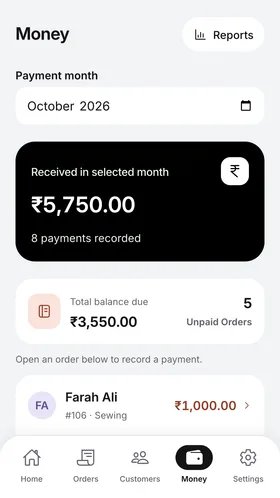
Enter the order total and any advance. SewMate shows the balance due on the order and on the Money screen, along with what you received in the month and which orders are still unpaid.
SewMate is available for Android phones and tablets on Google Play.
SewMate is designed and built by Vuelance. You can reach the team at vuelance.com.

Put the paper slips away. Keep customers, sizes, orders and money in one diary that fits in your pocket.